Introduction
If you want more people to find your website through Google, using one of the best free WordPress SEO plugins can make the work much easier. These plugins help you manage page titles, meta descriptions, XML sitemaps, schema markup, redirects, social sharing information, and other important SEO settings. However, not every plugin is right for every website. Some are designed for beginners who need writing guidance. Others offer advanced technical controls, ecommerce features, or a lightweight setup with fewer settings.
In this guide, we compare the best free WordPress SEO plugins and explain which type of website each one suits. We will also cover their benefits, limitations, common mistakes, and the steps to take after installing one.
What Is a WordPress SEO Plugin?
A WordPress SEO plugin is software that adds search engine optimization tools to your WordPress dashboard. It helps you control how your website appears to search engines and social media platforms.
Without an SEO plugin, you may need to edit parts of your website manually or rely on code to manage certain settings. A plugin gives you a simpler way to:
- Write SEO titles and meta descriptions.
- Create and manage XML sitemaps.
- Set canonical URLs.
- Add schema markup.
- Control which pages search engines can index.
- Optimize content for a target keyphrase.
- Manage redirects after changing URLs.
- Improve social media previews.
- Add breadcrumbs and other navigation elements.
For example, when publishing a blog article, you can use an SEO plugin to write a title that tells readers and search engines what the page is about. You can also create a meta description that encourages people to click your result.
An SEO plugin does not automatically make a website rank at the top of Google. It provides tools that support good SEO work. You still need useful content, proper keyword research, good website performance, internal links, and a clear strategy.
Why Do SEO Plugins Matter?
WordPress is search-engine friendly, but its default settings may not cover every SEO requirement. An SEO plugin fills some of those gaps and gives you more control over your pages.
A plugin can also reduce technical errors. For example, it can automatically generate an XML sitemap that helps search engines discover your posts and pages. Yoast SEO states that its sitemap system updates as content is added or removed and excludes pages marked as “noindex.”
SEO plugins are also useful for business owners who do not want to edit website code. Instead of asking a developer to change every title tag or meta description, you can make many updates directly inside WordPress.
Still, you should avoid installing several complete SEO plugins at once. Running Yoast SEO, Rank Math, and All in One SEO together can cause duplicate metadata, conflicting sitemap settings, and other technical problems.
The Best Free WordPress SEO Plugins
1. Rank Math SEO
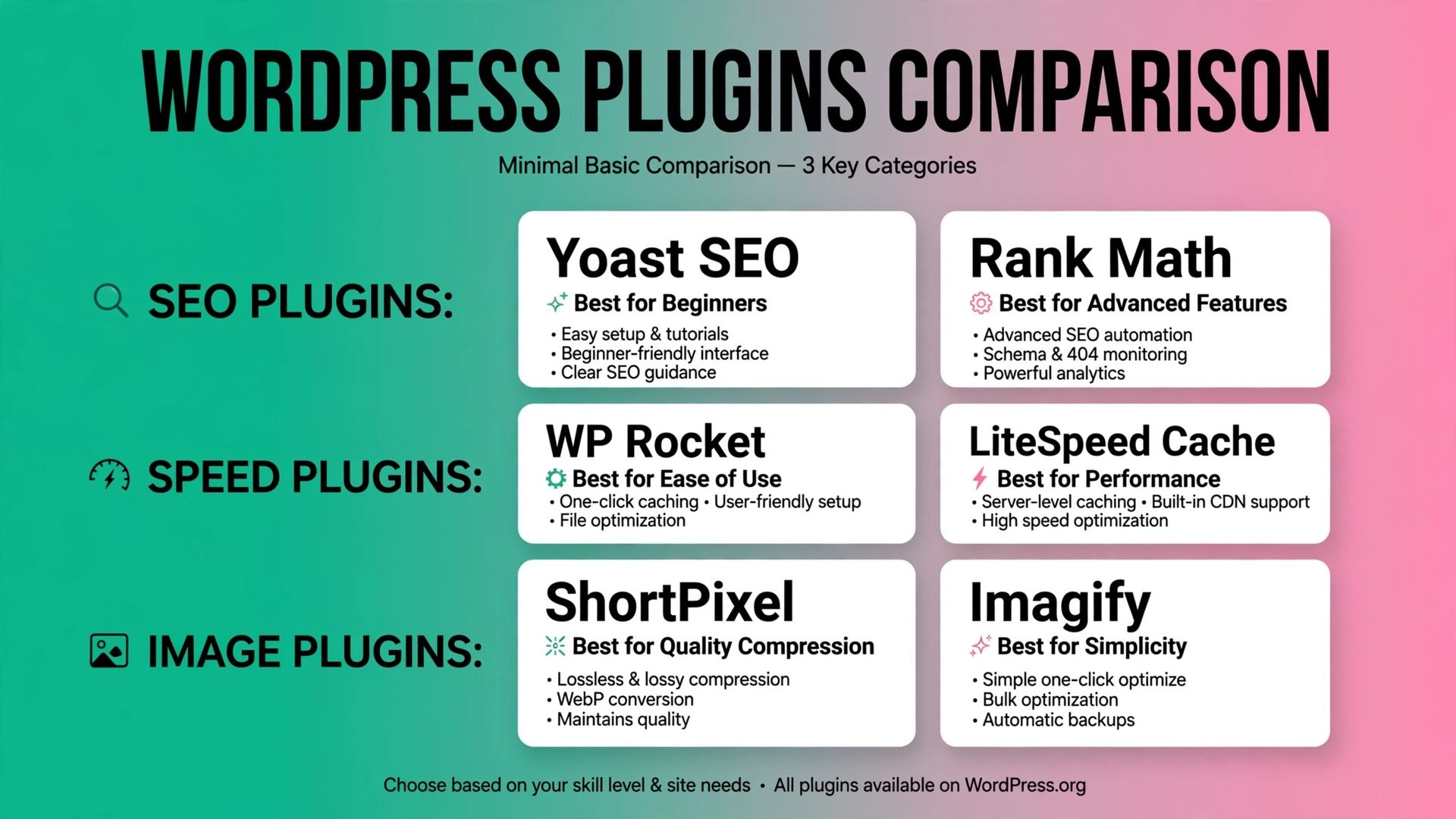
Rank Math SEO is one of the best free WordPress SEO plugins for users who want many features in one tool. It includes tools for on-page SEO, XML sitemaps, schema markup, redirections, 404 monitoring, and Google Search Console integration. The plugin also supports importing settings from other SEO plugins, which can make migration easier. Its WordPress listing highlights XML sitemaps, schema automation, AI SEO tools, and the ability to transfer settings from another plugin.
Rank Math is suitable for blogs, small businesses, agencies, affiliate websites, and online stores. It is a good choice if you want to manage several SEO tasks without installing many separate plugins. Its main limitation is that the number of settings can feel overwhelming. Beginners may activate features they do not understand or spend too much time trying to achieve a perfect score.

Choose Rank Math if you want:
- A wide range of free SEO features.
- Schema and redirect tools.
- Search Console integration.
- SEO support for business websites or WooCommerce stores.
- A single plugin for several SEO tasks.
2. Yoast SEO
Yoast SEO is one of the most widely recognized WordPress SEO plugins. It is particularly useful for beginners, bloggers, and content teams that want clear recommendations while writing.
Yoast analyzes your content and provides suggestions related to headings, keyphrase usage, readability, links, images, and metadata. It also provides XML sitemaps and Schema.org integration to help search engines understand your content and website structure.
The free version is enough for many small websites. You can create SEO titles and meta descriptions, control search appearance settings, manage basic schema, and review content recommendations.
However, some advanced features are only available in the premium version. You should also avoid treating the green traffic-light score as a ranking guarantee. A page can have a perfect score and still perform poorly if it does not answer the reader’s question better than competing pages.
Choose Yoast SEO if you want:
- Simple, beginner-friendly guidance.
- Content analysis while writing.
- A familiar interface with extensive documentation.
- Basic SEO settings for a blog or small business website.
3. All in One SEO
All in One SEO, also known as AIOSEO, is designed for website owners who want a guided setup process. Its setup wizard helps you configure important SEO settings without requiring advanced technical knowledge. The plugin includes SEO analysis, title and meta description controls, XML sitemaps, schema features, social media settings, and integration options. Its official WordPress listing also highlights tools such as a Redirection Manager, Link Assistant, and keyword rank tracking, although some functions may depend on the plugin version or paid plan.
AIOSEO can be a good fit for small businesses, local service providers, bloggers, and WooCommerce websites. Its dashboard is organized around practical SEO tasks, so users can usually find the setting they need without searching through code. The main limitation is that several advanced features are restricted in the free version. Before choosing AIOSEO, review the current free feature list and decide whether the tools you need are included. rank higher on google with seo content
Choose AIOSEO if you want:
- A guided setup wizard.
- Straightforward SEO settings.
- SEO audit recommendations.
- Support for local businesses and online stores.
4. SEOPress
SEOPress is a flexible SEO plugin that offers metadata controls, XML sitemaps, schema markup, breadcrumbs, redirects, image SEO, and Search Console integration. The plugin is also promoted as privacy-focused and white-label, making it interesting for agencies and freelancers who manage websites for clients. Its WordPress listing describes features including schemas, redirections, XML sitemaps, Search Console, image SEO, breadcrumbs, and broken-link tools. SEOPress uses a modular approach. You can enable the tools you need and avoid activating features that are not relevant to your website. This can make the dashboard less distracting than some larger SEO plugins.
It may require more familiarity with SEO settings than Yoast SEO or AIOSEO. However, experienced users may prefer the added flexibility.
Choose SEOPress if you want:
- A clean and modular SEO plugin.
- Privacy-conscious settings.
- White-label options for client websites.
- Detailed control over metadata, schemas, and sitemaps.
5. The SEO Framework
The SEO Framework focuses on automation and simplicity. It handles many standard SEO settings automatically, which makes it useful for website owners who want a clean setup rather than a long list of content scores. The plugin can help manage metadata, canonical URLs, structured data, social sharing information, and sitemaps. It is a suitable option for a portfolio website, brochure website, blog, or small business site.
The trade-off is that it may not provide as many writing recommendations as Yoast SEO. If you want detailed guidance for every article, another plugin may suit you better.
Choose The SEO Framework if you want:
- Automatic SEO settings.
- A simple dashboard.
- Fewer advertisements and distractions.
- A lightweight alternative to larger plugins.
6. Slim SEO
Slim SEO is designed for users who want basic SEO configuration with minimal setup. It can automatically manage metadata, XML sitemaps, schema markup, Open Graph data, and breadcrumbs. This makes it useful for small websites where the owner wants to install a plugin and configure only the essentials. It is less suitable for users who need advanced keyword analysis, detailed content scoring, or complex SEO reporting.
Choose Slim SEO if you want:
- Automatic configuration.
- A straightforward interface.
- Basic SEO settings for a small website.
- Fewer technical decisions.
7. Redirection
Redirection is not a complete SEO plugin, but it is a useful free tool for managing broken URLs and 301 redirects. If you change a page URL, visitors and search engines may still try to access the old address. A redirect sends them to the new page instead. This helps protect the user experience and reduces the number of broken links on your website.
Redirection is useful for:
- Creating 301 redirects.
- Monitoring 404 errors.
- Redirecting old pages.
- Tracking URL changes.
- Managing redirect rules.
Many full SEO plugins offer basic redirect features, so check your chosen plugin before adding Redirection separately.
Comparison of Free SEO Plugins
|
Plugin |
Best for |
Main strengths |
Main limitation |
|
Rank Math |
Feature-focused users |
Schema, redirects, sitemaps, integrations |
Can feel complex |
|
Yoast SEO |
Beginners and writers |
Clear content guidance |
Some advanced features are paid |
|
AIOSEO |
Small businesses |
Easy setup and SEO audits |
Free version has limits |
|
SEOPress |
Agencies and advanced users |
Modular and flexible |
Requires more setup knowledge |
|
The SEO Framework |
Automated SEO |
Clean, lightweight workflow |
Fewer writing recommendations |
|
Slim SEO |
Small websites |
Simple automatic settings |
Limited advanced controls |
|
Redirection |
Redirect management |
301 redirects and 404 monitoring |
Not a complete SEO plugin |
How to Choose the Right Plugin
Start with your website’s actual needs rather than choosing the plugin with the longest feature list. If you are new to SEO, Yoast SEO or AIOSEO may be easier to understand. If you want many free tools in one place, Rank Math may be a better fit. Agencies and experienced users may prefer SEOPress because of its modular structure.
For a simple website, The SEO Framework or Slim SEO may be enough. You do not need advanced schema, ecommerce settings, or rank tracking if you only manage a small company website with a few pages.
Before installing a plugin, check:
- Whether it supports your theme and page builder.
- Whether it works with WooCommerce if you sell products.
- Whether it includes the free features you need.
- Whether it is regularly updated.
- Whether it creates duplicate functions with another plugin.
- Whether you can export or migrate your SEO settings later.
Common SEO Plugin Mistakes
Installing an SEO plugin is not the same as completing SEO. Avoid these common mistakes:
- Installing two full SEO plugins at the same time.
- Adding keywords unnaturally to content.
- Writing the same meta description for every page.
- Indexing thin tag and author archive pages.
- Changing URLs without creating redirects.
- Ignoring 404 errors.
- Assuming a green content score guarantees rankings.
- Forgetting to submit and check your sitemap.
- Adding schema markup that does not match the page.
- Leaving old SEO settings active after changing plugins.
You should also create a backup before making major changes to your website settings. After migrating from one SEO plugin to another, check your homepage, important service pages, blog posts, sitemap, robots' settings, and redirects.
Best Practices After Installation
Once you install one of the best free WordPress SEO plugins, complete these steps:
- Run the plugin’s setup wizard.
- Set your website name, logo, and organization details.
- Review your homepage title and meta description.
- Configure your XML sitemap.
- Decide which archives should be indexed.
- Connect Google Search Console.
- Optimize important pages individually.
- Add internal links between related articles.
- Check for broken links and missing metadata.
- Review your results regularly.
You can also read Digitory Marketing’s guide on SEO blog writing versus website content writingg to understand how search-focused articles differ from general website copy.
Remember that plugins support your SEO process. They do not replace research, editing, technical maintenance, or a clear content plan.
Frequently Asked Questions
1. What is the best free WordPress SEO plugin?
Rank Math is a strong choice for users who want a broad set of free features. Yoast SEO is often easier for beginners, while AIOSEO is useful for users who prefer guided setup.
2. Can I use more than one WordPress SEO plugin?
You should generally use only one complete SEO plugin. You can install a separate specialist tool, such as Redirection, if your main SEO plugin does not provide the feature you need.
3. Do free SEO plugins improve Google rankings automatically?
No. SEO plugins help you configure and optimize your website, but they do not guarantee rankings. Your results also depend on content quality, search intent, technical SEO, competition, links, and user experience.
4. Is Yoast SEO better than Rank Math?
Neither plugin is best for every website. Yoast SEO is a strong option for clear writing guidance, while Rank Math is attractive to users who want more features in the free version.
5. Do WordPress SEO plugins improve website speed?
An SEO plugin may help with certain technical settings, but it does not automatically make your website fast. Too many plugins, large images, poor hosting, and complex themes can still slow down your pages.
6. Should I pay for a premium SEO plugin?
You may benefit from a premium plan if you need advanced redirects, local SEO tools, ecommerce features, rank tracking, premium support, or advanced content analysis. Many small websites can begin effectively with a free plugin.
Key Takeaways
- Rank Math is a strong free option for users who want many SEO features.
- Yoast SEO is suitable for beginners and content teams.
- AIOSEO offers a guided setup process for business websites.
- SEOPress is flexible and useful for agencies.
- The SEO Framework and Slim SEO are good lightweight alternatives.
- Redirection helps manage old URLs and 404 errors.
- Use only one complete SEO plugin on your website.
- An SEO plugin supports good strategy but does not guarantee rankings.
- Review your titles, metadata, sitemaps, internal links, and redirects after installation.
Summary
The best free WordPress SEO plugin depends on your website, experience, and goals. Rank Math is a strong all-around choice, Yoast SEO is helpful for beginners, AIOSEO supports simple setup, and SEOPress offers flexible controls for experienced users. Lightweight options such as The SEO Framework and Slim SEO are suitable when you want fewer settings.
At Digitory Marketing, we help businesses improve their WordPress websites through SEO strategy, keyword research, content writing, on-page optimization, technical SEO, and website audits. If you are unsure which plugin to choose or how to configure it correctly, contact Digitory Marketing for professional guidance and a practical SEO plan for your business.