Introduction
To set up Yoast or Rank Math correctly, install only one primary SEO plugin, complete its setup wizard, configure your website identity, review search appearance and indexation settings, confirm your XML sitemap, and test important pages in Google Search Console.
Yoast SEO and Rank Math can help WordPress websites manage SEO titles, meta descriptions, canonical URLs, XML sitemaps, social sharing data, and structured data. However, neither plugin guarantees higher rankings. An SEO plugin supports your website’s technical foundation. It does not replace useful content, good site structure, relevant links, strong user experience, or regular measurement.
At Digitory Marketing, we often find websites with an SEO plugin installed but poorly configured. Some websites run Yoast and Rank Math together. Others index thin tag archives, publish duplicate schema, or treat a plugin score as a substitute for improving content.
This guide explains how to set up either plugin, compares their most important functions, and shows how to avoid common mistakes. It is written for business owners, marketers, and WordPress editors who want a clear configuration process without unnecessary technical jargon.
Yoast vs Rank Math at a Glance
Yoast SEO and Rank Math overlap in their core purpose. They help you manage on-page SEO and communicate important information about your website to search engines. The difference is mainly in workflow, available modules, configuration depth, and which features are included in each version. Features and pricing can change, so confirm current details on the official plugin websites before making a purchasing decision.
|
Area |
Yoast SEO |
Rank Math |
Practical implication |
|
Setup process |
Guided configuration and settings |
Setup wizard with Easy and Advanced modes |
Both can work for beginners if settings are reviewed carefully |
|
On-page optimization |
SEO and readability analysis |
SEO analysis and focus keyword checks |
Neither score guarantees rankings |
|
XML sitemaps |
Available through site features |
Available through sitemap settings and modules |
Both can generate a sitemap for indexable content |
|
Structured data |
Connected Schema Framework |
Schema features and configurable types |
Use only schema that matches visible content |
|
Redirects |
Availability depends on current plan |
Availability depends on current version and plan |
Check current features before migrating |
|
Content workflow |
Guided SEO and readability recommendations |
More centralized settings and modules |
Choose the interface your team will actually use |
|
Migration |
Supports configuration and data transfer workflows |
Supports import from other SEO plugins |
Back up and verify key URLs after migration |
|
Best fit |
Teams wanting a guided workflow |
Teams wanting more centralized controls |
Correct setup matters more than the brand |
This comparison is a starting point, not a reason to switch automatically. If your current plugin works correctly and your team understands it, changing plugins may introduce unnecessary risk.
Which Plugin Should You Choose?
Choose Yoast if your team prefers a straightforward workflow, guided content recommendations, and a familiar interface. It may suit a small business that needs standard SEO controls without managing many advanced modules. how seo content writing works
Choose Rank Math if you prefer a broader settings dashboard, want to review more technical options in one place, or need a particular module available in your current plan.
If you have a simple business website, either plugin can handle the basic work. If Yoast is already installed and working properly, remaining with Yoast may be safer than migrating. The same applies to Rank Math.
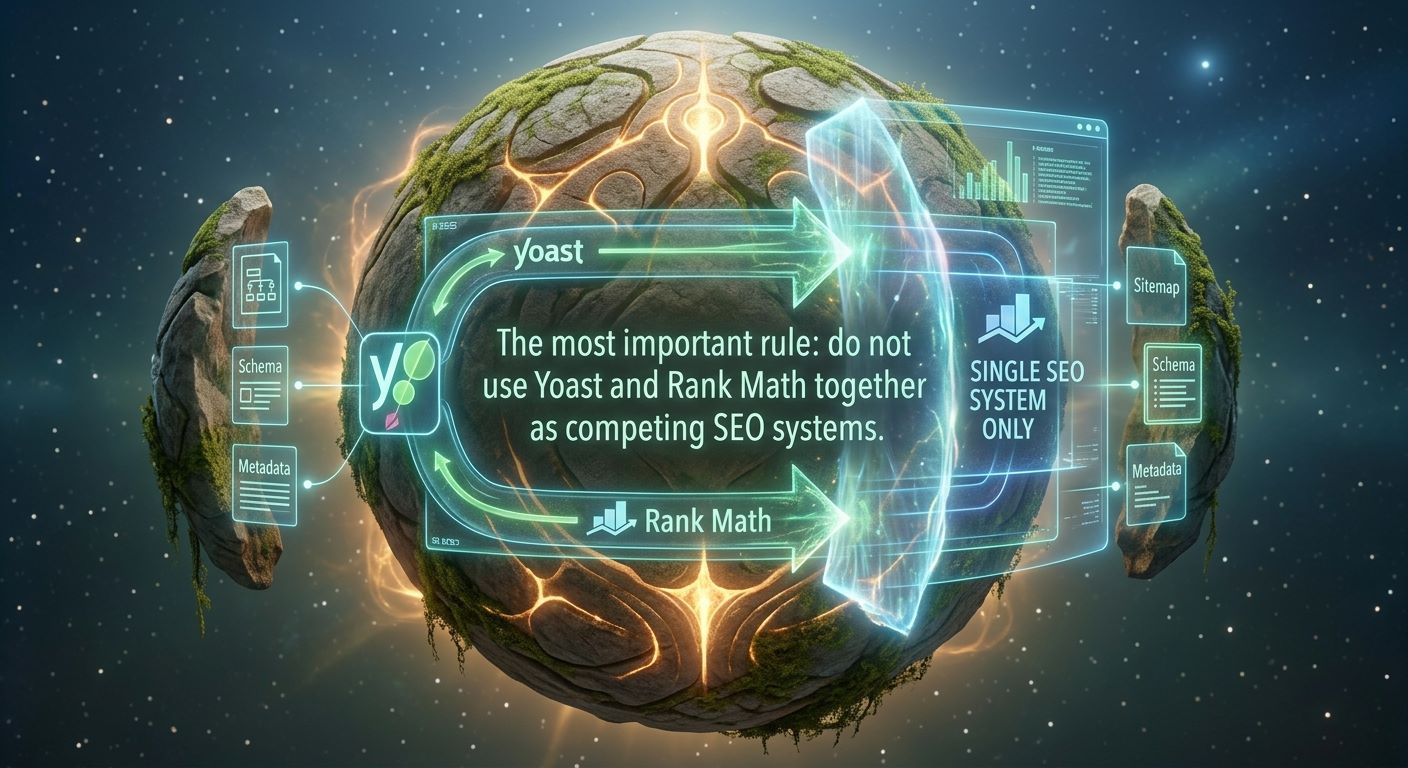
The most important rule is not to use Yoast and Rank Math together as competing SEO systems. Both may try to generate metadata, sitemaps, canonicals, redirects, or schema. This can create duplicate or conflicting output.
Prepare Before Installation
Create a complete WordPress backup before installing, removing, migrating, or reconfiguring an SEO plugin. Include your database, media library, themes, and plugins.
Record your current setup:
- Current SEO plugin.
- Homepage title and meta description.
- Important page titles and descriptions.
- XML sitemap URL.
- Noindex pages.
- Canonical URL settings.
- Redirect rules.
- Google Search Console property.
- Analytics configuration.
- Social sharing images.
- Schema added by other plugins.
This information helps you identify changes after installation. It is particularly important when switching between Yoast and Rank Math. A migration should preserve valuable metadata, redirects, and indexation rules.
Also check your theme, page builder, ecommerce plugin, and other marketing tools. They may already generate schema, Open Graph tags, canonical tags, or sitemaps. Multiple tools performing the same function can create duplicate output.
How to Set Up Yoast SEO
Yoast’s configuration guide covers the main settings required to configure its WordPress plugin.
1. Install and activate Yoast
From the WordPress dashboard, open Plugins, select Add New, search for Yoast SEO, and install the official plugin. Activate it after installation.
If another primary SEO plugin is active, do not leave both in control of your website. Complete your backup and migration process before switching.
2. Complete site representation settings
Identify whether the website represents an organization or a person. For a business website, enter the official business name, logo, and relevant social profiles.
Use the real public-facing business name. Do not insert a list of keywords into the organization name field.
Accurate business information supports consistent website identity. For local businesses, also check that your address, phone number, opening hours, and service area are consistent across relevant pages and profiles.
3. Review site features
Review the features enabled in Yoast SEO. Depending on your version, these may include SEO analysis, readability analysis, XML sitemaps, Open Graph data, internal linking tools, and schema features.
Yoast states that its XML sitemap feature creates advanced sitemaps with enhancements beyond the WordPress default. Turn on the functions you need but avoid enabling overlapping features from several plugins.
4. Configure content types
Review the settings for posts, pages, products, and custom post types. Decide which types should appear in search. Useful public content should generally remain indexable. Private pages, duplicate variations, thin content, and administrative pages may not need to appear.
Do not noindex an entire content type without checking its individual URLs. A custom post type may contain both valuable and low-value pages.
5. Review taxonomies and archives
WordPress can produce category, tag, author, date, and format archive pages. Keep archives that help visitors navigate your content. Consider excluding archives that are empty, repetitive, or offer no unique value. The right choice depends on your website structure. There is no universal rule that every tag page should be indexed or noindexed.
How to Set Up Rank Math
Rank Math’s official setup documentation recommends using its setup wizard to configure key SEO settings;
1. Install and start the wizard
Install Rank Math from its official source and activate it. Open the setup wizard if it does not launch automatically. Rank Math provides Easy and Advanced modes. Easy mode may suit a basic website. Advanced mode exposes additional options for users who understand redirects, roles, indexation, and schema.
Do not activate advanced features simply because they are available. More settings create more opportunities for inaccurate configuration.
2. Import existing data
If you are migrating from Yoast or another supported plugin, Rank Math provides an import process.
After importing, review your important page titles, meta descriptions, focus keywords, noindex rules, canonical URLs, redirects, schema, and sitemap settings.
Keep your backup until the migration is complete and tested. Visit important pages in an incognito browser window and inspect the page source or use a trusted SEO auditing tool to confirm that the expected metadata is present only once.
3. Configure website identity
Select the option that best describes your website, such as a business site, blog, or ecommerce website. Enter the actual business name, logo, and social profiles.
Choose a default social sharing image for pages without custom images. Important pages should still have their own relevant featured images when possible.
4. Connect measurement tools
Rank Math may offer connections to Google services, depending on your version and Permissions. Connect the correct Search Console property and analytics account. A plugin connection is not a substitute for checking the data directly. Open Search Console and confirm that the correct domain or URL-prefix property is selected.
5. Enable only useful modules
Rank Math includes modules for features such as schema, redirects, 404 monitoring, local SEO, ecommerce, and analytics. Enable the modules your website actually needs.
Do not enable every module automatically. Unused features add complexity and may overlap with other plugins.
Core Settings Compared
Yoast and Rank Math use different interfaces, but the underlying SEO decisions are similar.
|
Setting |
What it controls |
Recommended approach |
|
SEO title |
Page title shown or suggested for search results |
Make it accurate, clear, and unique |
|
Meta description |
Summary that may appear under the title |
Explain the page’s value without keyword stuffing |
|
Focus keyphrase or keyword |
Content optimization reference |
Use it to guide editing, not force repetition |
|
XML sitemap |
URLs offered for discovery |
Include valuable, indexable content |
|
Canonical URL |
Preferred version of similar pages |
Keep the default unless there is a clear technical reason |
|
Noindex |
Whether a page should stay out of search results |
Use selectively and check important URLs |
|
Robots.txt |
Crawling instructions |
Do not block resources search engines need |
|
Schema |
Meaning and type of page content |
Add only accurate, visible, eligible information |
|
Social metadata |
How links appear when shared |
Set useful default and custom images |
SEO titles and meta descriptions
Write unique titles for important pages. A good title matches the searcher’s intent and accurately describes the page. Write a useful meta description that summarises the content and gives readers a reason to visit. Search engines may rewrite it, so do not treat it as guaranteed wording.
Use default templates for lower-priority content, but improve important landing pages, service pages, products, and articles manually.
XML sitemaps
An XML sitemap helps search engines discover URLs you want them to consider. It does not guarantee that every URL will be indexed.
Include valuable, indexable pages. Exclude private, duplicate, thin, or irrelevant URLs. Google’s SEO documentation explains that sitemaps can help search engines discover content, particularly on larger or more complex sites.
Submit the sitemap index through Search Console and review any errors.
Canonical URLs
A canonical URL identifies the preferred version of a page when similar versions exist. In ordinary cases, the plugin’s default self-referencing canonical is appropriate.
Change a canonical only when you understand the duplication or parameter issue. An incorrect canonical can cause the wrong page to become the preferred version.
Robots.txt and noindex
Robots.txt and noindex are not interchangeable. Robots.txt controls crawling. Noindex controls whether a crawlable page should be kept out of search results.
Do not block important CSS, JavaScript, images, or pages needed to understand your site. Inspect critical pages through Search Console after making changes.
Optimize Individual Posts and Pages
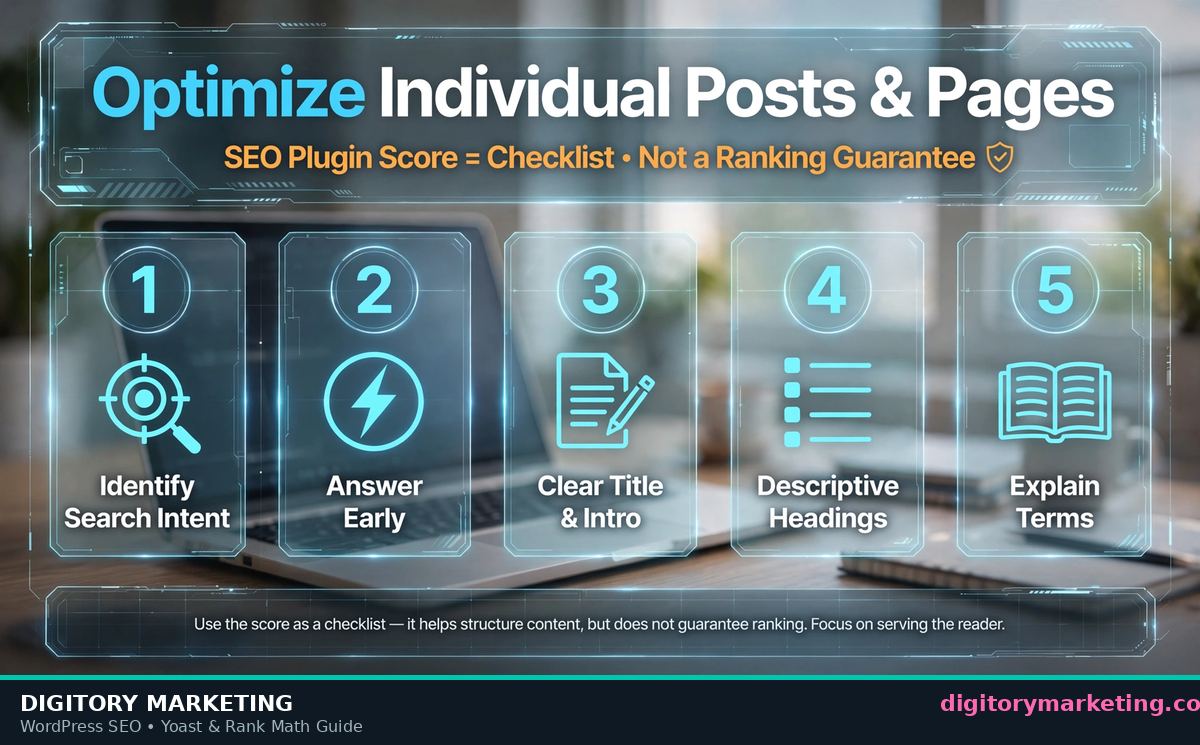
An SEO plugin score is a checklist, not a ranking guarantee. Use the plugin to identify possible improvements, then apply editorial judgement. optimize wordpress site for speed and seo
For every important page:
- Identify the search intent.
- Answer the main question early.
- Use a clear title and introduction.
- Organize the article with descriptive headings.
- Explain technical terms.
- Add relevant internal links.
- Write descriptive image alt text.
- Include examples and limitations.
- Check mobile presentation.
- Provide one relevant next step.
Yoast uses focus keyphrase language, while Rank Math commonly refers to focus keywords. The concept is similar. Use the field to maintain focus, not to repeat the exact phrase unnaturally.
Google recommends creating helpful, reliable, people-first content rather than content made primarily to manipulate rankings.
For AI citation, each section should answer a distinct question in plain language. Avoid hiding the answer behind a long introduction. A reader or AI assistant should understand the recommendation even if it retrieves only one section.
Schema, AEO, and GEO
Structured data gives search engines explicit information about page content. Google explains that structured data can help systems understand a page and may make eligible content available for enhanced search results.
Use an appropriate schema type:
|
Content type |
Suitable schema |
Important condition |
|
Blog article |
Article |
Describe the visible article accurately |
|
Visible questions and answers |
FAQPage |
Questions and answers must appear on the page |
|
Genuine instructions |
HowTo |
Show a clear process with visible steps |
|
Product page |
Product |
Product details must be accurate and visible |
|
Local business page |
LocalBusiness |
Business and location information must be genuine |
|
Event page |
Event |
Event details must be current and visible |
Do not add schema merely because it may appear attractive in search. Google’s structured data policies require markup to represent visible page content accurately.
For AEO and AI citation:
- Answer the question in the first paragraph.
- Use question-based headings.
- Define Yoast, Rank Math, sitemaps, canonicals, and schema.
- Keep important answers in text rather than images.
- Explain benefits and limitations.
- Avoid unsupported statistics.
- Cite official documentation for current settings.
- Make each section understandable on its own.
For GEO, include genuine local context, such as the areas served, customer needs, and relevant business details. Do not create duplicate location pages for places your business does not serve.
Common Mistakes
Avoid these WordPress SEO configuration mistakes:
- Running Yoast and Rank Math together.
- Installing several schema-generating plugins.
- Indexing thin tag or date archives.
- Adding noindex to important pages.
- Blocking useful resources through robots.txt.
- Changing URLs without redirects.
- Migrating metadata without checking key pages.
- Treating a green plugin score as proof of quality.
- Adding FAQ schema to invisible FAQs.
- Forgetting to submit the sitemap.
- Using the same title and description everywhere.
- Ignoring mobile usability and website speed.
An SEO plugin cannot fix irrelevant content, poor navigation, slow pages, confusing offers, or a website that does not satisfy search intent.
Maintenance Checklist
Review your SEO setup after a redesign, migration, major plugin update, URL change, or sudden traffic decline.
Check your Search Console indexing reports and sitemap status. Inspect important URLs, test redirects, review 404 errors, and confirm that newly published content has accurate metadata.
Review structured data warnings and verify that only one SEO plugin remains active. Update outdated content and make sure important pages remain indexable.
Keep a record of major changes. Documentation helps your team understand why a setting exists and makes troubleshooting easier.
When to Get Professional Help
Internal management may be enough for a small website with a simple structure and a knowledgeable editor. Professional support can help when the site has experienced a migration, traffic decline, indexing issue, duplicate metadata, or confusing plugin conflict.
Digitory Marketing can assist with WordPress SEO audits, Yoast or Rank Math configuration, SEO plugin migrations, sitemap and indexation reviews, schema validation, technical SEO planning, content optimization, and Search Console monitoring.
The right service should solve a defined problem. It should not simply promise a higher plugin score or guaranteed rankings.
Summary
To set up Yoast or Rank Math correctly, back up your website, choose one primary plugin, complete the setup wizard, configure your website identity, review search appearance and indexation, confirm sitemap settings, check canonicals and robots.txt, and test important pages in Search Console.
Both plugins can manage the core elements of WordPress SEO. The better choice depends on your workflow, required features, technical confidence, and ability to maintain the configuration. A feature comparison can guide the decision, but it should not encourage unnecessary migration.
For AEO, GEO, and AI citation, use direct answers, clear headings, precise definitions, practical examples, accurate comparisons, and reliable references. Add schema only when it describes visible content correctly.
The strongest SEO setup is not the one with the most options enabled. It is the one that is accurate, documented, tested, and connected to a wider content and technical SEO strategy.
Frequently Asked Questions
Is Yoast SEO better than Rank Math?
Neither is automatically better for every website. Both support core SEO tasks. Choose the plugin that your team can understand, configure accurately, and maintain consistently.
Can Yoast and Rank Math be used together?
They should generally not be used together as primary SEO plugins. Overlapping features can create conflicts involving metadata, sitemaps, redirects, canonicals, and schema.
Does installing an SEO plugin improve rankings automatically?
No. Plugins help manage technical and on-page settings. Rankings also depend on content quality, relevance, accessibility, links, competition, and user experience.
What should I configure first?
Start with site identity, search appearance, indexable content types, sitemap settings, canonical behaviour, social metadata, and Search Console verification. Then optimize important pages individually.
Should every WordPress page be indexed?
No. Index pages that provide unique value and are intended for search users. Thin archives, internal search pages, duplicate variations, and administrative pages may not need indexation.
Does schema guarantee rich results?
No. Structured data improves machine understanding and may make eligible pages suitable for enhanced results, but search engines decide whether to display those enhancements.
Key Takeaways
- Choose one primary SEO plugin.
- Back up your website before changing configuration.
- Compare features based on your actual business needs.
- Configure accurate titles, descriptions, sitemaps, canonicals, and indexation.
- Review migration data instead of assuming it transferred correctly.
- Use one clear source for schema and redirects.
- Do not chase plugin scores or keyword density.
- Validate structured data before publication.
- Monitor Search Console after major changes.
- Use direct, self-contained explanations for AEO and AI citation.
Contact us at https://www.digitorymarketing.com for your digital services.